
The Google Play Store, while a vast repository of useful and entertaining apps, is not immune to the infiltration of fake apps. These counterfeit applications, often disguised as legitimate software, pose a significant threat to your online security and privacy. Learning to spot fake apps is crucial for protecting yourself from malware, data breaches, and other cybersecurity risks. This article will equip you with the knowledge and tools necessary to identify and avoid these deceptive programs, ensuring a safer and more secure experience on the Google Play Store. We will cover key aspects such as recognizing suspicious developer profiles, scrutinizing app permissions, and verifying app authenticity.
Protecting yourself from fake apps on the Google Play Store requires vigilance and a proactive approach to app security. From understanding the telltale signs of a counterfeit app to employing effective strategies for verifying app legitimacy, taking the necessary precautions can significantly mitigate your risk. This guide will provide a comprehensive overview of the methods used by malicious actors to distribute fake apps and, more importantly, empower you with the skills to spot and avoid them, ensuring your safety and security within the digital landscape of the Google Play Store.
Understanding the Risks of Fake Apps
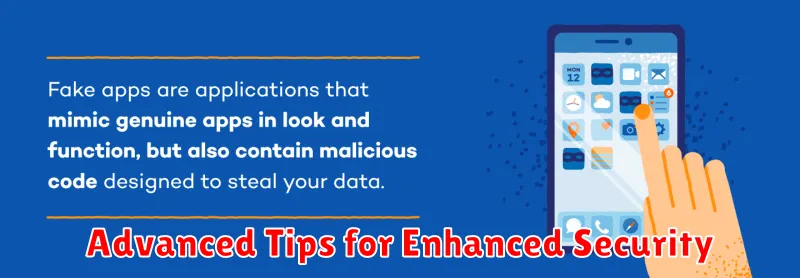
Downloading fake apps can expose you to a range of security risks. These deceptive apps often mimic legitimate applications, tricking users into installing them.
One major risk is data theft. Fake apps can be designed to steal sensitive information, such as login credentials, financial details, and personal contacts. This information can then be misused for identity theft, financial fraud, or other malicious purposes.
Malware infection is another serious concern. Fake apps can contain hidden malware that can compromise your device’s security. This can include viruses, spyware, and ransomware, which can damage your device, steal your data, or even lock you out of your own files.
Furthermore, some fake apps display intrusive advertisements that disrupt user experience and can even lead to further malware infections. These ads can be excessive and difficult to close, negatively impacting device performance.
Red Flags: Identifying Suspicious Apps
Recognizing potentially harmful apps is the first step in protecting yourself. Be wary of apps exhibiting these red flags:
Poor Grammar and Spelling
Numerous spelling errors, grammatical mistakes, or awkward phrasing in the app description or within the app itself can indicate a hastily created, potentially malicious application.
Low-Quality Graphics
Blurry icons, stretched images, or generally unprofessional graphics can be a sign of a fake app trying to mimic a legitimate one.
Suspicious Developer Name
Check the developer’s name. Does it closely resemble a known, reputable company but with slight variations? This is a common tactic used to deceive users.
Limited or Generic Functionality
If the app’s functionality seems limited or doesn’t match the description, be cautious. Fake apps often disguise malicious intent with a simple facade.
Checking App Permissions and Reviews
Before installing any app, carefully review the permissions it requests. Permissions grant an app access to specific features or data on your device. A flashlight app, for instance, shouldn’t need access to your contacts or location. If the requested permissions seem excessive or unrelated to the app’s functionality, be wary. This could be a sign of a fake or malicious app trying to collect your personal information.
User reviews can also provide valuable insights into an app’s legitimacy. Check both the average rating and the content of individual reviews. A high number of negative reviews mentioning suspicious behavior, crashes, or excessive ads should raise red flags. Look for patterns and common complaints among reviewers. While a few negative reviews are normal, a consistently negative trend warrants caution.
Best Practices for Safe App Downloads
Employ these strategies to minimize your risk when downloading apps:
Stick to Official Sources
Always download apps from the official Google Play Store. Avoid third-party app stores or direct downloads, as these lack the security checks of the official platform.
Scrutinize App Details
Before downloading, carefully examine the app’s name, developer information, and description. Look for inconsistencies or anything that seems unprofessional.
Keep Your Software Updated
Ensure your device’s operating system and Google Play Store app are updated to their latest versions. Updates often include crucial security patches.
Review Permissions Carefully
Pay close attention to the permissions an app requests. Be wary of apps requesting excessive or irrelevant permissions for their functionality.
Reporting Fake Apps on the Play Store
If you encounter a suspicious app on the Google Play Store, reporting it helps protect other users from potential harm. Reporting is a straightforward process and contributes to a safer app ecosystem.
To report a potentially fake app, open the app’s page on the Google Play Store. Locate the three vertical dots (typically in the upper right corner) and select “Flag as inappropriate.” You’ll then be presented with a list of reasons for reporting the app. Choose the option that best describes your concern, such as “Copycat or impersonation” or “Harmful to device or data.” Provide any additional details or evidence that might be helpful in the text box. Finally, submit your report.
By actively reporting suspicious apps, you contribute to the ongoing effort to keep the Google Play Store a secure platform for everyone.
Advanced Tips for Enhanced Security
While basic checks offer a good starting point, implementing advanced security measures can significantly bolster your defenses against fake apps. Scrutinize app permissions carefully. Excessive permissions for an app’s functionality should raise red flags. For instance, a simple calculator app shouldn’t require access to your contacts or location.
Research the developer. A quick search can reveal information about the developer’s reputation and history. Check for a legitimate website and online presence. Look for established developers with a positive track record.
Stay updated. Keep your operating system and Google Play Protect up-to-date. Security updates often include patches for vulnerabilities that malicious apps can exploit. Enable automatic updates for hassle-free protection.
Consider using a security app. Several reputable security apps can offer additional layers of protection, including real-time threat detection and malware scanning.
Protecting Your Data from Malicious Apps
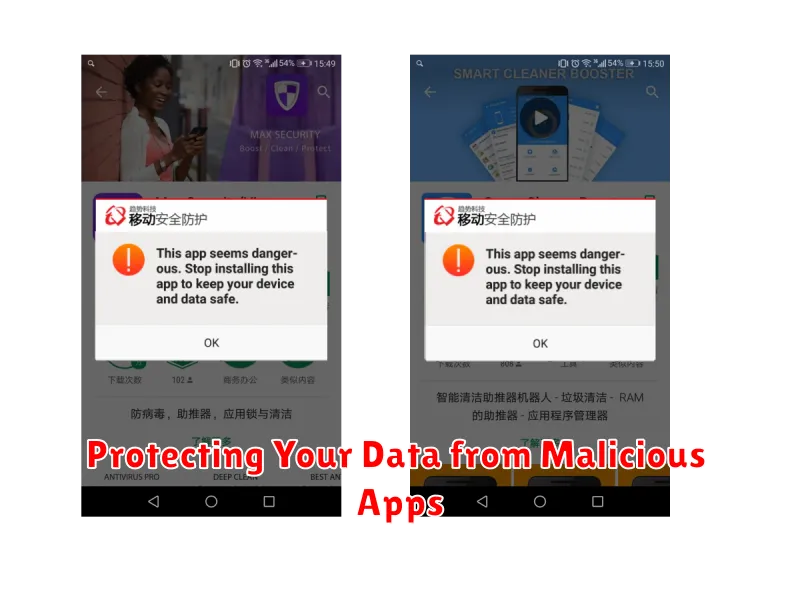
Malicious apps often target your personal data, aiming to steal sensitive information or exploit your device for illicit purposes. Understanding how these apps operate and taking proactive steps to protect your data is crucial.
Scrutinize app permissions carefully. Before installing an app, review the permissions it requests. Does a simple flashlight app really need access to your contacts or location? Excessive permission requests should raise a red flag.
Regularly review the apps installed on your device. Uninstall any apps you no longer use or that seem suspicious. This minimizes potential entry points for malicious software.
Employ strong and unique passwords for your online accounts. This adds an extra layer of security, even if a malicious app manages to access your device.
Enable two-factor authentication (2FA) whenever possible. 2FA provides an additional security layer, making it much harder for malicious actors to access your accounts, even if they obtain your password.
